










Breaking News
 'Revolution' - Dr. Ron Paul
 'Non-intervention' - Daniel McAdams
 AI Emergency: The AI Labs Are Lying To Everyone, He Says 99% Chance Of Extinction...
 A Special Message from Tucker Carlson
Top Tech News
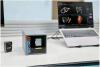 World's smallest CT scanner fits in the palm of your hand
 The Tesla Roadster will blow people's minds
 Peter Thiel-Funded Company Anduril to Triple the Number of Autonomous Surveillance Towers...
 Quantum computing may soon become part of the microscope itself.
 Volkswagen Just Unveiled The Most Efficient EV Ever Tested
 NASA Super Light Solar Sail Project Will Be 12-40 Times Lighter and Faster
 Space Telescope Interferometer to Image Exoplanet Continents
 Twenty-five years of "temporary": how 9/11 built a surveillance state Americans never vote
 I'll Never Buy Another WALMART Battery!
 Shoei GT-Air 3 Smart helmet drops with built-in AR for $1,500



What Is USB OTG? 5 Cool Ways to Use It on Android

USB drives are convenient, but you can't use one with your phone. Well, unless you have an Android phone and know what USB OTG is.
USB On-The-Go (OTG) is a standardized specification that allows a device to read data from a USB device without requiring a PC. The device basically becomes a USB host, which isn't an ability every gadget has.
You can do a lot with this, For example, you might connect a USB flash drive to your phone, or use an old video game controller with a tablet.
USB OTG is not an Android-specific feature. But since that's its most popular use, we'll focus on using it with Android.
Check If Your Android Supports USB OTG

The easiest way to check if your phone or tablet supports USB OTG is to look at the box it came in, or the manufacturer's website. You'll see a logo like the one above, or USB OTG listed in the specifications.
Another easy method is to use a USB OTG checker app. There are plenty of such free apps on the Google Play Store, but some are loaded with ads. Easy OTG Checker is a reliable app for this. Download and run it, and you'll know if your phone supports USB OTG.
Not every Android device supports USB OTG; it's something the manufacturer has to enable. If you find out your phone isn't compatible when you use USB OTG Checker, this unfortunately won't work for you.