









Breaking News
 President Trump Finally Admits It
 ALL 21 STATES. ALL 1,799 COUNTIES. EVERY SINGLE ONE SHIFTED BLUE.
 The Crisis in Poland
 Jefferson, Secession, and "All Men Are Created Equal"
Top Tech News
 Prism puts an eye-controlled Linux computer on your face
 Remember Yesterday: AI For Today and Tomorrow
 Robot Mowers Invade America's Golf Courses, Putting Groundskeepers On Notice
 Monstrous 13-foot mecha craves the dangerous jobs humans avoid
 Scentronic tech lets you smell the internet
 Virgin Galactic's new rocket plane revives its bid for a space airline
 The metal kept moving east while the sellers ran, and Ronnie called the flush a week early
 Chinese Company Develops $1,000 AI-Powered Laser System To Kill Mosquitoes
 PRP vs Exosomes vs Stem Cells: Which Fits Your Condition?
 SHOCKING: The Secret (Frantzve) Family Business



Woman spots a VERY controversial iPhone feature that can help people SPY on you...
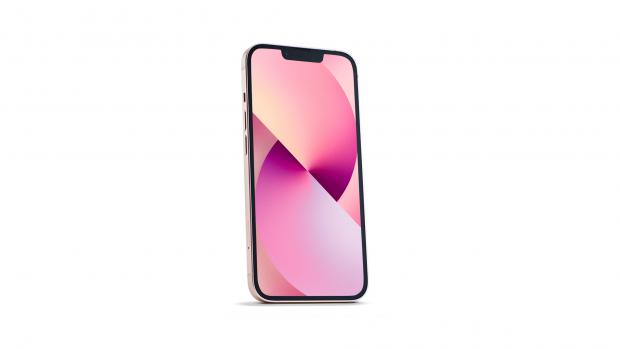
An actor has sent social media into tailspin after revealing that iPhones can listen to conversations happening up to 15 metres away.
Elizabeth Henstridge, who is best known for starring as Jemma Simmons in the ABC superhero drama Marvel's Agents of S.H. I. E. L. D, was stunned to discover Apple's Live Listen feature which allows you to hear someone speaking across a room.
The feature, which is accessible through the iPhone ear button, is designed as a hearing aid tool - but Ms Henstridge mistook it for a sinister purpose.
'So basically we're all spies now?!' she said in a TikTok video about her discovery.
The revelation, which has gone viral, racking up 3.6million views since it was uploaded online on Wednesday, sparked a wave of amusing responses.
'A whole messy trail of broken marriages and relationships in three, two, one...,' one person wrote.
A second added: 'Me trying to figure out how far 15 metres is.'
Meanwhile a third wisely observed: 'Beforehand you need to decide if you really want to hear what is being said.'
According to Apple's website, the Live Listen feature can help you hear a conversation in a noisy room or hear someone speaking across the room.
The setting turns your iPhone or iPad into a remote microphone that sends sound to your Made for iPhone hearing aid.
If you are metres away from your phone, you can still listen to the sound via wireless headphones or hearing devices, depending on their range.
The feature can be activated by going to Settings, then to Accessibility, and selecting MFI Hearing Devices.