










Breaking News
 Can Humanity Survive What Just Happened In AI Without Immediate Action?
 Movies Too Loud, Then Too Quiet? Turn On This One Hidden Setting
 Josh's Soil School | PART 5 Before You Water Your Garden Again, Check This | Soil Health
 MIKE LINDELL: THE REAL NUMBERS – NEW EVIDENCE – DECLASSIFIED RECORDS...
Top Tech News
 Meet the Frankenhamster: Scientists create bizarre 'planimal' by fusing together hamster and
 Roof-mounted solar panels turn your EV into its own charging station
 Russia 'is preparing to launch nuclear-armed space weapon by the end of this year'...
 Underground empire: China's plan to weaponize infrastructure gear
 $21,500 pickup plans to fix the American truck problem
 Seven Down, Three To Go: America's Microreactors Keep Going Critical
 Smart Dust
 Artificial Intelligence Could Transform Bank Runs From Hours-Long Crises...
 We Can't Put AI Back in the Box… So We Must Make It Serve Pro-Human Interests
 Dubai Just Finished the World's First Permanent Air Taxi Route: Airport to the Marina in Under 1



Movies Too Loud, Then Too Quiet? Turn On This One Hidden Setting
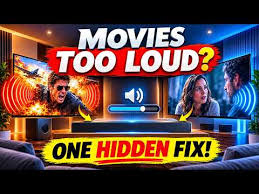
If every movie night means grabbing the remote every two minutes, your TV and speakers are probably not broken. You just have one hidden setting switched off. It's buried three or four menus deep, and every brand gives it a different name.
In this video I show you what that setting is, why movies sound like this in the first place, and exactly where to find it on popular TVs, streaming boxes, soundbars and AV receivers. Plus two extra tricks that make dialogue clearer without making the explosions louder.
You'll learn:
• Why movies are mixed for theaters, and what "dynamic range" really means
• Why 5.1 dialogue gets buried when your TV folds it down to two speakers
• The hidden fix: dynamic range compression (Auto Volume, Night Mode, Volume Leveling, Reduce Loud Sounds, Night Sound, Dynamic Volume)
• Where to find it on Samsung TVs, Roku, Apple TV, LG / Sony / TCL / Hisense
• Soundbars and AV receivers (Night Sound, Speech Enhancement, Audyssey Dynamic Volume, Late Night mode)
• Why you should turn it on in ONE place only, and how strong to set it
• Trick 1: raise the center channel by 1 to 3 dB
• Trick 2: pick the right sound mode for clear voices